.. Y.M.C.A!
I got bored. So I went out, had some fun, and then had some more fun in photoshop. How did I do it? It's actually super simple.
1. Set-up tripod
2. Take a few pictures with same exposure/white balance/ect with different poses.
3. Copy yourself into the different pictures. How? Simply select yourself with lasso and then paste it into a base image (I used the "Y" me as the base image and pasted the other pictures into it)
4. Post it on your blog so I can see.
linking up with tuesday tips & pics, communal global, and our world tuesday.
PS: See hair cut? It's like..6-7 inches shorter. AHHHH.
1. Set-up tripod
2. Take a few pictures with same exposure/white balance/ect with different poses.
3. Copy yourself into the different pictures. How? Simply select yourself with lasso and then paste it into a base image (I used the "Y" me as the base image and pasted the other pictures into it)
4. Post it on your blog so I can see.
linking up with tuesday tips & pics, communal global, and our world tuesday.
PS: See hair cut? It's like..6-7 inches shorter. AHHHH.


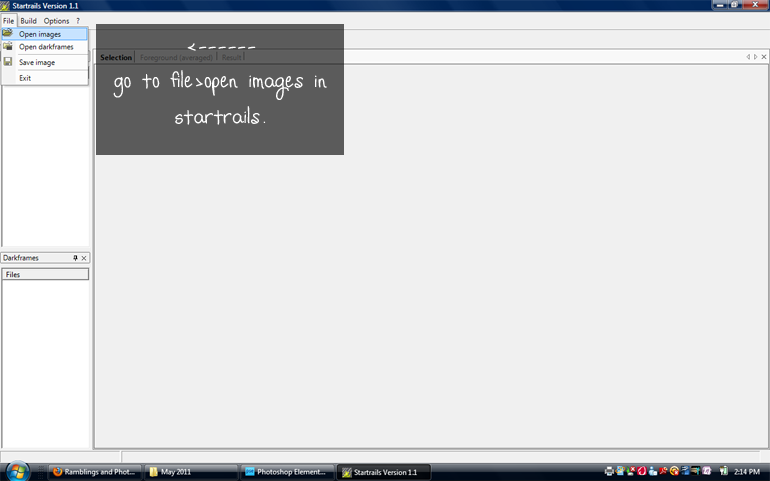
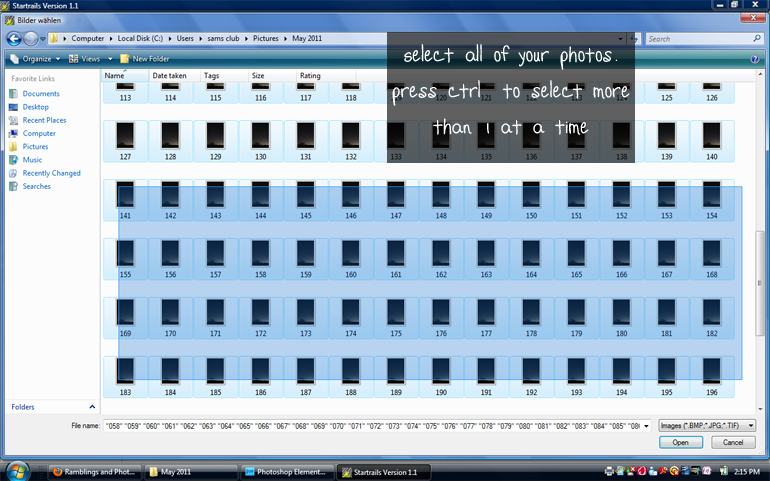
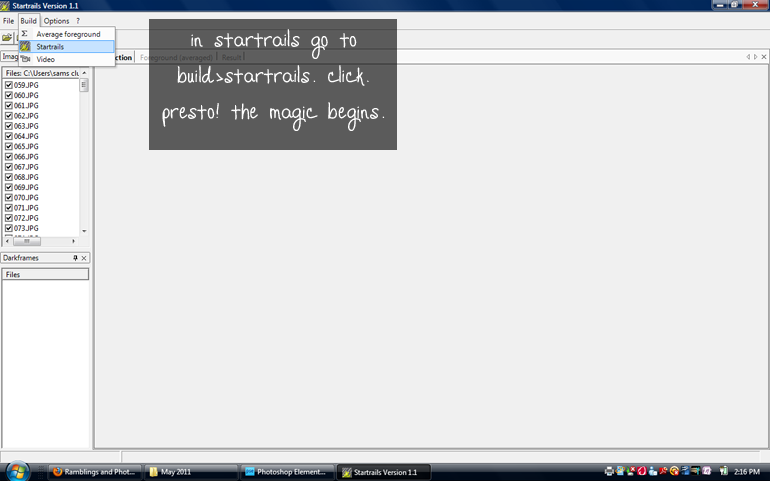
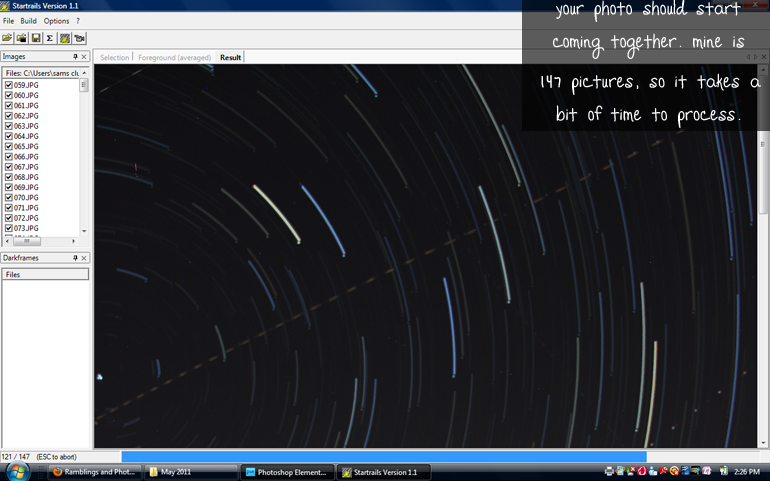
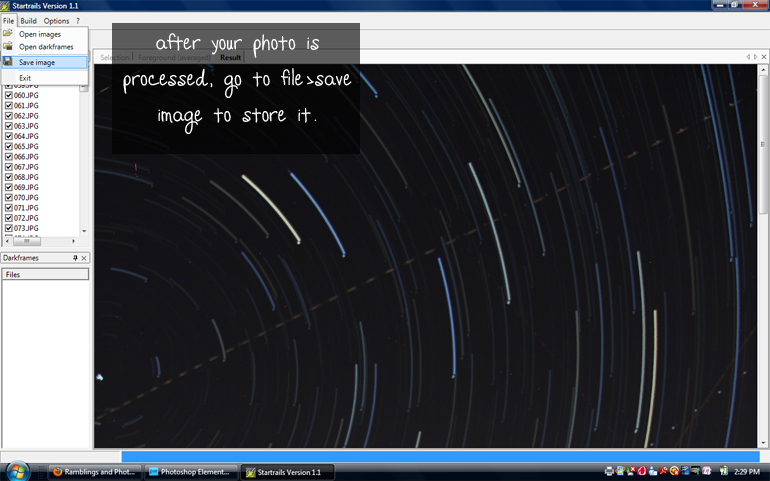
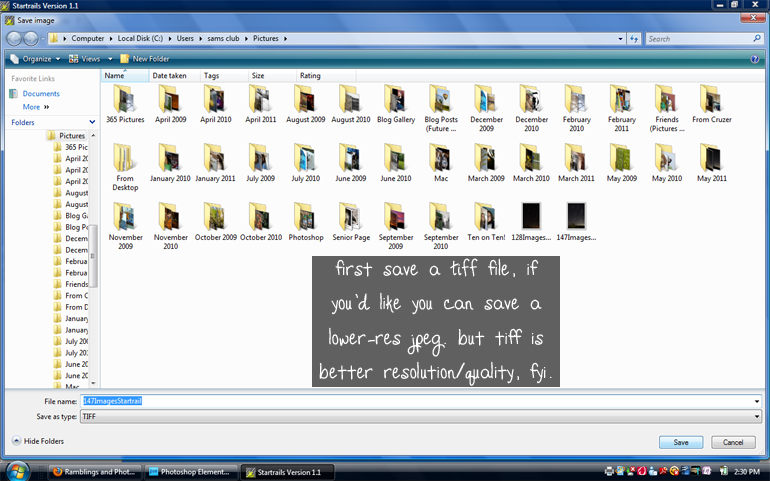
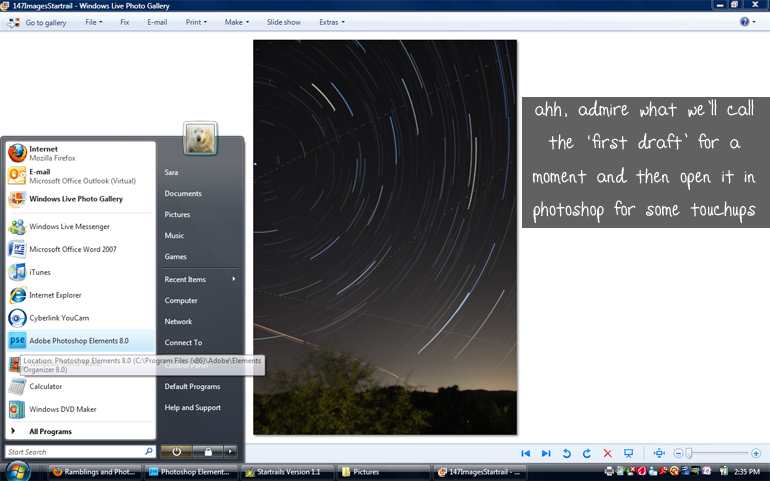
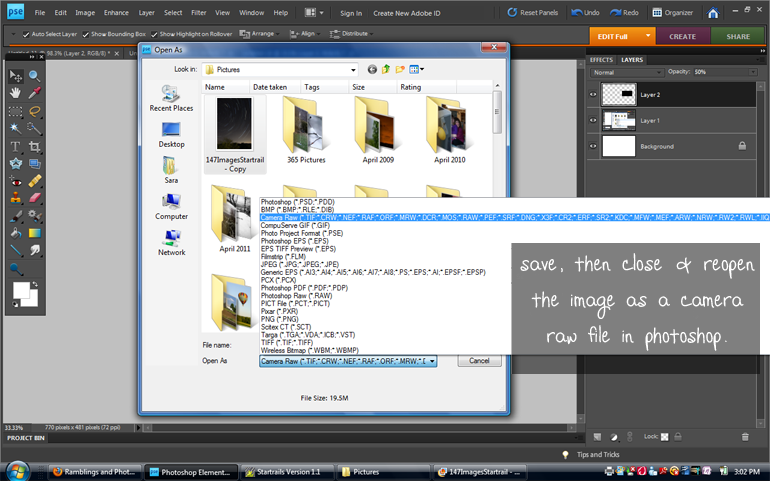
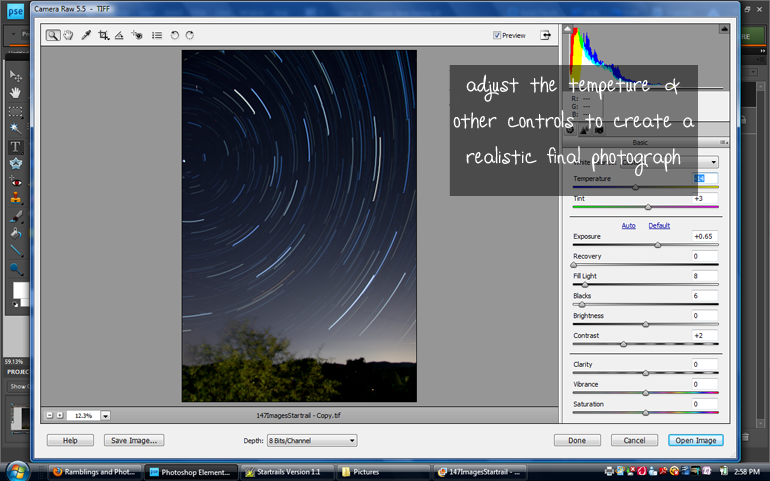
 Next you download all of your images onto your computer. After that, you can download this super duper nifty program called